

1. Prepare the prompt
Describe the subject, action, setting, mood, shot type and visual style. A specific brief gives the model clearer creative direction.
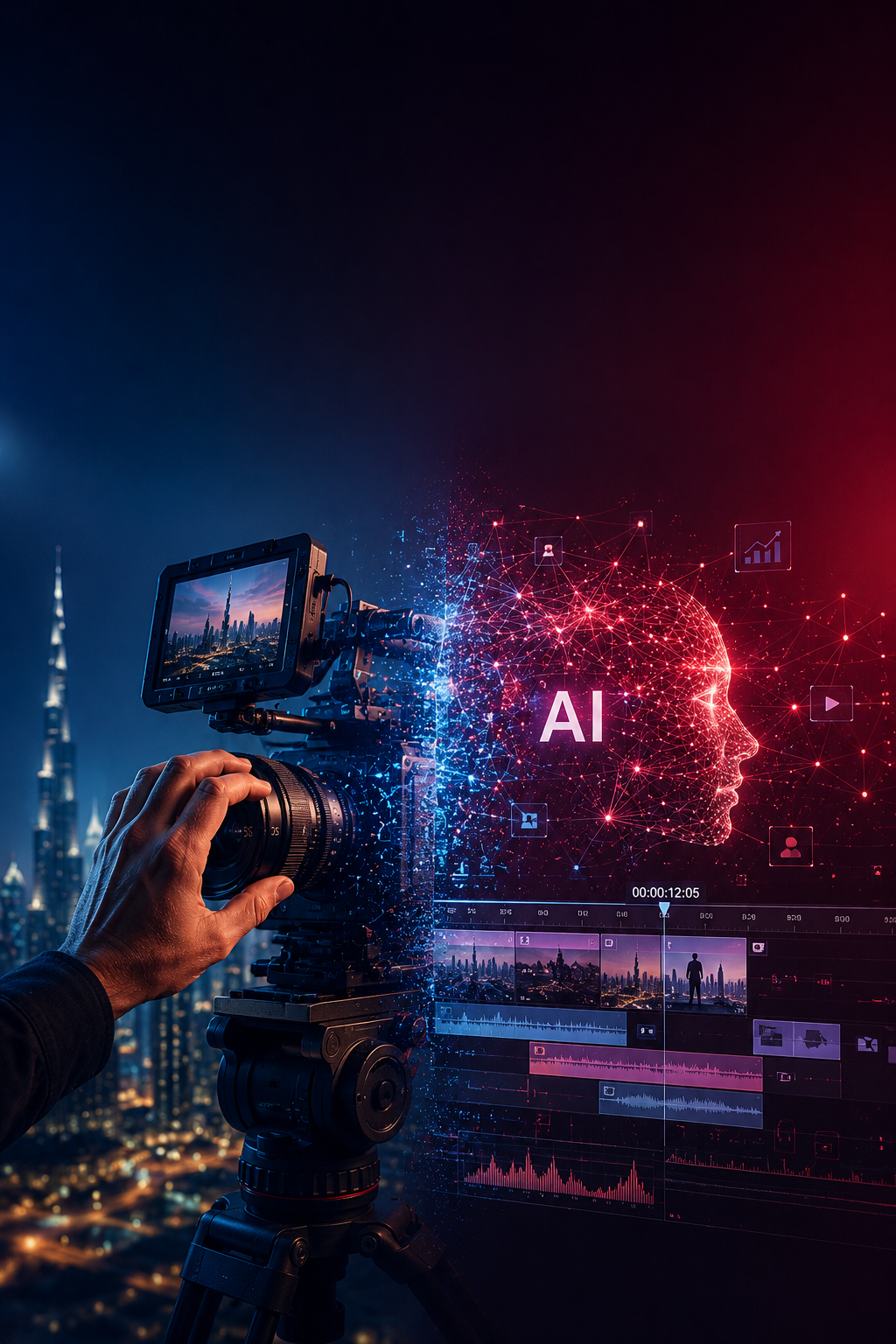
AI Video Generator tools are changing how ideas become moving visuals. Creators can start with a written prompt, a photograph or a visual reference and develop short clips for storytelling, product concepts, learning and digital campaigns.
Explore AI video tools, creative workflows and practical tips for turning ideas into videos.
Explore the AI video workflowAI Video Generator tools are changing how ideas become moving visuals. Creators can start with a written prompt, a photograph or a visual reference and develop short clips for storytelling, product concepts, learning and digital campaigns. This guide explains the main workflows, popular platforms and prompt-writing methods.
Video is an important format for explaining ideas, presenting products and sharing stories. Generative AI gives creators another way to experiment with visual concepts before deciding how a complete video should be produced.
A creator can explore a scene, test a visual direction, animate a still image or prepare a draft clip for a campaign. The output still needs human review, editing and a clear message, but the process can make early creative exploration more flexible.
An AI Video Generator is a digital tool that uses generative artificial intelligence to create or modify video content. Depending on the platform, a creator may begin with text, images, video references or a combination of supported inputs.
For example, a user can describe a product on a studio table, explain the camera movement and set a lighting mood. The model then creates a clip based on the brief. Another workflow can begin with an existing photograph and add movement while trying to retain the main subject.
Generated results are not guaranteed to match every instruction perfectly. Creators should review the output for visual errors, unexpected changes, inaccurate text and continuity before using it in a finished project. A responsible AI Video Generator workflow includes that review before any clip is shared or published.
Turn a written scene description into a moving visual clip.
Use a still image as the starting point for an animated sequence.
Use supported AI features to revise, extend or adapt existing footage.
Explore a visual direction before moving into detailed production.
Most AI video creation processes can be planned through a few practical stages. The available controls differ by platform, but the creative decisions remain similar.
Describe the subject, action, setting, mood, shot type and visual style. A specific brief gives the model clearer creative direction.
Where supported, provide approved images, clips or other reference material to guide the appearance of the scene.
Select the appropriate generation mode and settings, then create an initial version for review.
Check movement, composition, object details, visual continuity and whether the clip matches the brief.
Adjust the prompt, references or available editing controls to improve the parts that need attention.
Arrange selected clips, add approved audio and titles, and export the correct aspect ratio and format.
An AI Video Generator can support the generation stage, but the creative team remains responsible for the story, quality checks and final delivery. The best AI Video Generator workflow therefore includes both model experimentation and a human-led review process.
Different platforms serve different creative needs. Some focus on generating scenes from prompts, while others include reference-led creation or conversational editing. Check the current product documentation, pricing, access requirements and usage terms before selecting a platform.
Multimodal video creation and editing
Google's Gemini Omni family supports video creation and editing workflows using natural-language instructions and supported media references. Its official overview describes conversational edits, scene changes and the ability to combine different types of input. Features and access can vary by product and plan.
Explore Gemini OmniGenerative video and creative production
Runway provides tools for working with generative media and video workflows. Creators can explore it for visual concepts, short-form content, creative experiments and AI-assisted production tasks. Review the current model and tool options before planning a project.
Explore RunwayGenerative video for creative workflows
Luma's current video model family includes Ray. The platform describes video generation and production-oriented creative workflows. It can be considered for visual storytelling and concept development; check Luma's current model page for the latest specifications.
Explore Luma RayCreative video generation and effects
Pika is a creative platform for experimenting with AI-generated video and visual effects. It may suit creators exploring short clips and stylised content. Available effects, generation limits and export options should be checked on the official site.
Explore PikaThere is no single best AI Video Generator for every project. Compare the type of input, output quality, creative controls, editing options, cost and terms of use. A small test project is a practical way to evaluate whether a tool fits your brief. Choose an AI Video Generator based on the work you actually need to produce, not only on trending features.
Text-to-video starts with a written description. It is useful when a creator has an idea for a scene but does not have recorded footage or a finished visual reference. The prompt can explain what appears in the scene, what happens and how the camera should view it.
Image-to-video begins with a still image and adds movement based on instructions. It can be explored for product photographs, illustrations, character concepts and visual artwork. The generated motion should be reviewed to ensure the original subject remains recognisable. Some AI Video Generator platforms also provide reference controls that can help guide the result.
Develop animated concepts, characters, environments and explainer visuals.
Explore supported tools for editing, extending, adapting or refining footage.
Create draft product scenes, promotional ideas and campaign visuals for review.
A repeatable workflow helps creators move from a rough idea to a reviewed video. These seven steps can be adapted to different projects and tools.
Decide whether the video is meant to explain, promote, entertain or introduce something. Identify the intended audience and platform.
Break the idea into a beginning, middle and ending. Keep each shot focused on one main action or message.
Collect approved images, product views, character references, brand colours and examples of the visual mood.
Select a platform based on the input format, creative controls, output requirements and project budget.
Create a first version and compare it with the scene outline. Keep notes about what worked and what needs revision.
Arrange the chosen scenes, improve pacing and add suitable transitions, approved text, voice or sound.
Check details, continuity, permissions, accessibility and export settings. Confirm that the video communicates the intended message.
Prompt writing is an important creative skill. A useful prompt describes more than the subject: it explains the action, environment and visual direction. A structured prompt can make it easier to compare results and refine a scene.
| Prompt element | What to describe |
|---|---|
| Subject | The person, object, product or character shown in the scene. |
| Action | What changes or happens during the clip. |
| Environment | The location, background and surrounding details. |
| Camera | Shot size, angle, perspective and camera movement. |
| Lighting | Natural light, studio light, reflections and shadows. |
| Visual style | Realistic, animated, cinematic, documentary or stylised. |
Generate an initial version, review it and change only a few prompt details at a time. This makes it easier to understand how each instruction affects the output.
AI-generated video can support different industries, but the right application depends on the audience, the project goal and the quality checks required. An AI Video Generator is most useful when its output is matched to a clear communication goal.
Explore campaign concepts, short promotional clips and social media creative ideas.
Prepare visual explanations, learning examples and draft instructional content.
Develop product-focused visual concepts and short promotional presentations.
Experiment with characters, fictional environments and story concepts.
Create draft brand introductions, event visuals and presentation content.
Visualise creative concepts and illustrative spaces, clearly labelling conceptual images.
Treat generated clips as creative material that requires human review. Check product information, brand accuracy, factual claims, permissions and the intended use before publishing.
Learning an AI Video Generator is only one part of developing as a digital creator. Strong video work also requires visual storytelling, composition, design, editing and the ability to evaluate generated results.
Morph Academy in Chandigarh offers creative and technology-focused learning areas, including animation, AI for animation, video editing and AI for digital marketing. Students can explore how generative tools fit into wider creative workflows and build practical projects as part of their learning journey. Learning to evaluate an AI Video Generator alongside editing and storytelling skills can help learners build a balanced creative foundation.
Explore the AI Course for Animation and the AI Course for Digital Marketing to learn more about related programmes.
For more information about creative and technology programmes, visit the Morph Academy website.
AI video tools are becoming part of wider creative workflows across digital marketing, education, entertainment and business communication. As these platforms evolve, creators will have more ways to test ideas, animate references and edit visual content through natural-language instructions.
The technology also brings responsibilities. Teams need to review outputs, respect image and media permissions, avoid misleading representations and make sure a video communicates accurate information.
AI can expand the creative process, but the idea, judgement and story still come from people.
The strongest results combine new tools with clear communication, editing knowledge and responsible creative decisions.
An AI Video Generator is a tool that creates or edits video using supported inputs such as text prompts, images and reference footage.
Text-to-video AI turns a written scene description into a moving clip. A prompt can describe the subject, action, setting and visual style.
Yes. Image-to-video workflows use a still image as a reference and generate movement based on the instructions and controls available in the selected platform.
Creators can research platforms such as Google Gemini Omni, Runway, Luma AI Ray and Pika. Features, access and terms vary by tool.
They can help develop draft product scenes, promotional ideas and campaign visuals. Businesses should review product details, claims, brand accuracy and usage permissions before publishing.
Often, yes. Editing can help improve pacing, transitions, audio, titles, continuity and the final export format.
Useful skills include prompt writing, visual storytelling, image generation, composition, editing, sound design and responsible content review.
Morph Academy offers creative and technology-focused programmes, including AI for Animation and AI for Digital Marketing. Visit its website for current programme details.
Use official product pages to review current capabilities, access requirements and terms before starting a project:
Create with technology. Communicate with creativity.